Dogfooding Emu by Building an Android App in 10 Days
Building developer tools is never done: clunky UX, suboptimal performanace, features that are hard to discover. Testing each part in isolation and a green CI is not an indication that a devtool is good, only real usage has can do that. Cold, unforgiving and unbiased.
This is the story of how I built a full Android app in about 10 days using the android emulator companion tool I’d been building. The tool is called emu. The app is mellow. And there are some things I’d like to share after those 10 days.
Why a music player?
I needed an app that would actually put emu through its paces. Not a todo list. Not a weather tracker. Something with enough surface area to test the limits.
Mellow is a Jellyfin music client for Android. If you self-host your music library, you know the pain: most open-source Jellyfin clients have the same problems. Background playback breaks. Offline mode is an afterthought. Android Auto is perpetually “coming soon” in every client I’ve tried. Large libraries (10K+ tracks) choke.
I wanted something I’d actually use daily. And I wanted it to hit every corner of emu: device mirroring, mcp tools, input injection, screenshot capture, multi-device testing, and eventually Android Auto projection.
Exploring existing apps with emu
Before designing anything, I needed to understand what users expect from a music app. Not from screenshots on the internet — from actually using the apps, screen by screen, and documenting the patterns.
I installed Spotify, YouTube Music, Tidal, and Apple Music on emulators through emu. Then I used emu’s MCP tools to systematically crawl each app: annotated_screenshot on every screen, ui_dump for the accessibility tree, tap through every tab, sheet, and overflow menu. The output was a structured navigation map for each app — every screen, how they connect, what UI patterns they use.
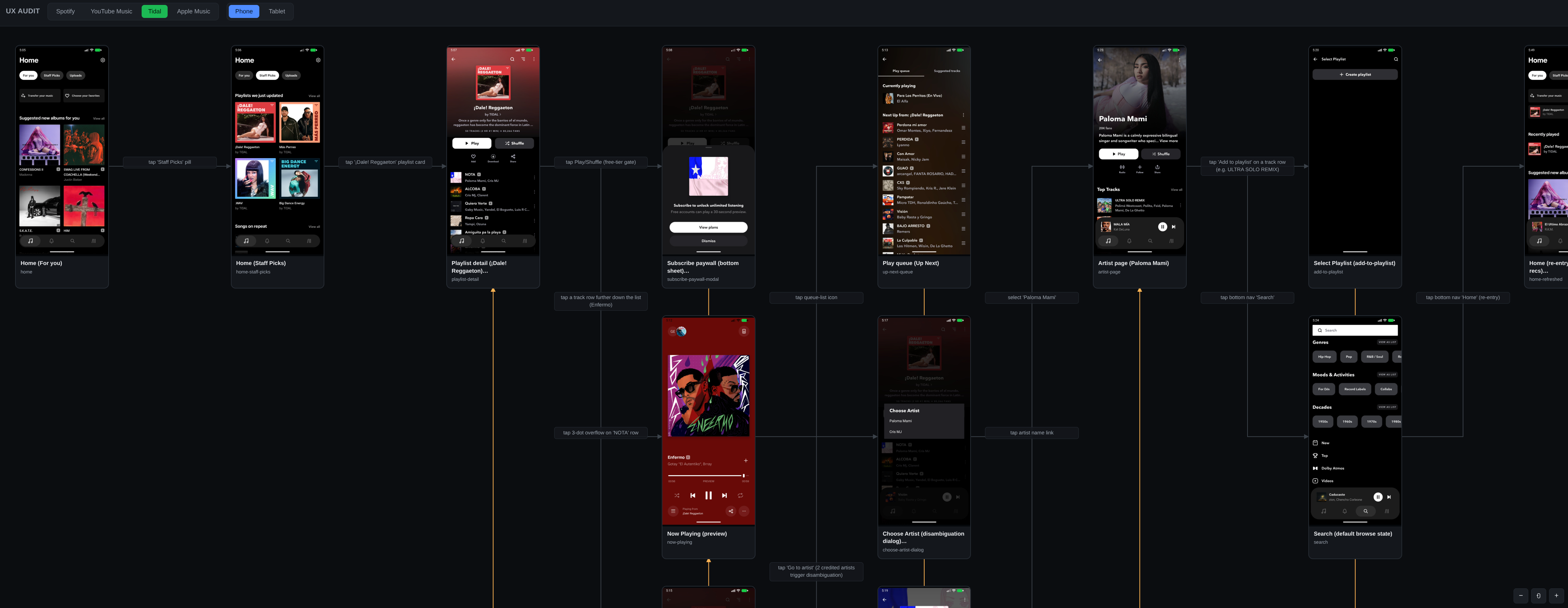
Four apps, phone and tablet variants, ~170 screenshots total. The crawl produced a comparison report and a designer brief — what patterns are universal, what Mellow should adopt, and what gaps to fill.
Some findings that shaped the design: every app leads with a personalized “Home” tab, not a library browser. Every single one has a 3-dot overflow menu on every track row. Every one shows “Recently Played” front and center. None of them put Settings in the bottom nav. These aren’t opinions — they’re patterns visible across 4 independent implementations that users have come to expect.
The whole research phase took an afternoon. Without emu, it would have meant manually screenshotting each app, hand-drawing navigation diagrams, and writing notes in a doc. With emu’s MCP tools, the crawl was scriptable and the output was structured data I could feed directly into the design process.
Design first, code second
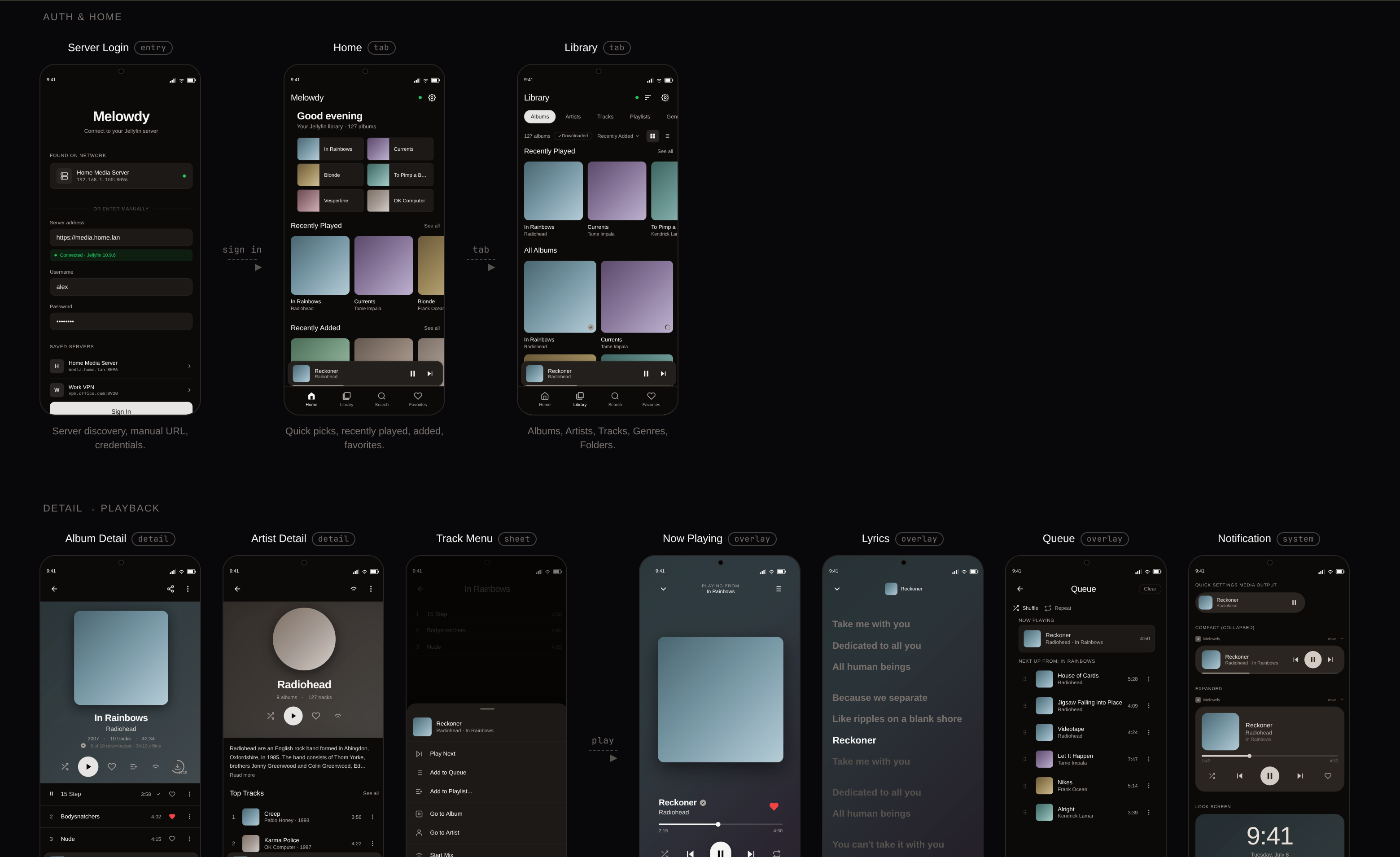
Before writing any code, I worked on the entire UI. Every screen, every state — loading, empty, error, populated. Every form factor — phone portrait, phone landscape, tablet, Android Auto.
With the current speed of producing code via LLMs it’s easy to forget about the process: you can build things faster if you know what you’re building. Code done and product finished are almost never the same and having process ensures these states are as close as possible.
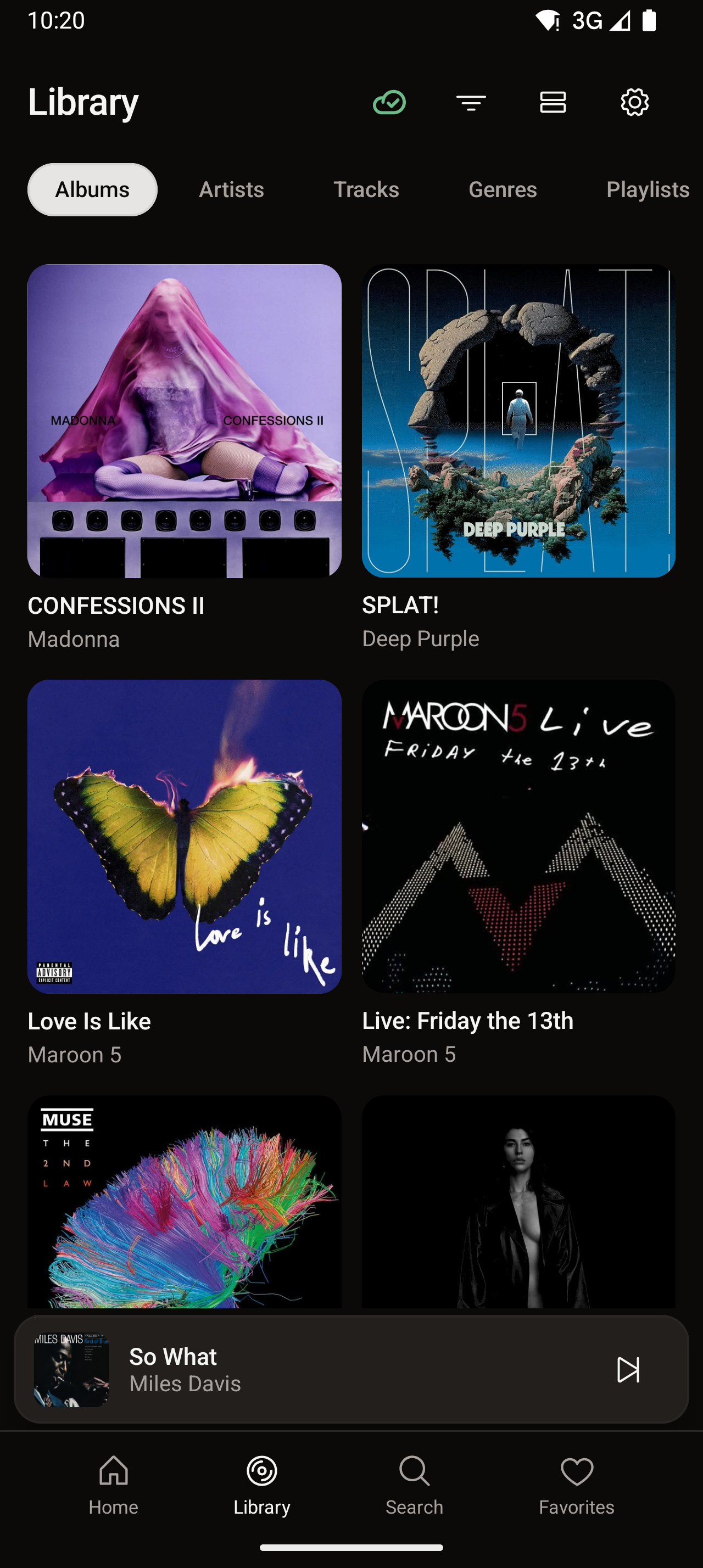
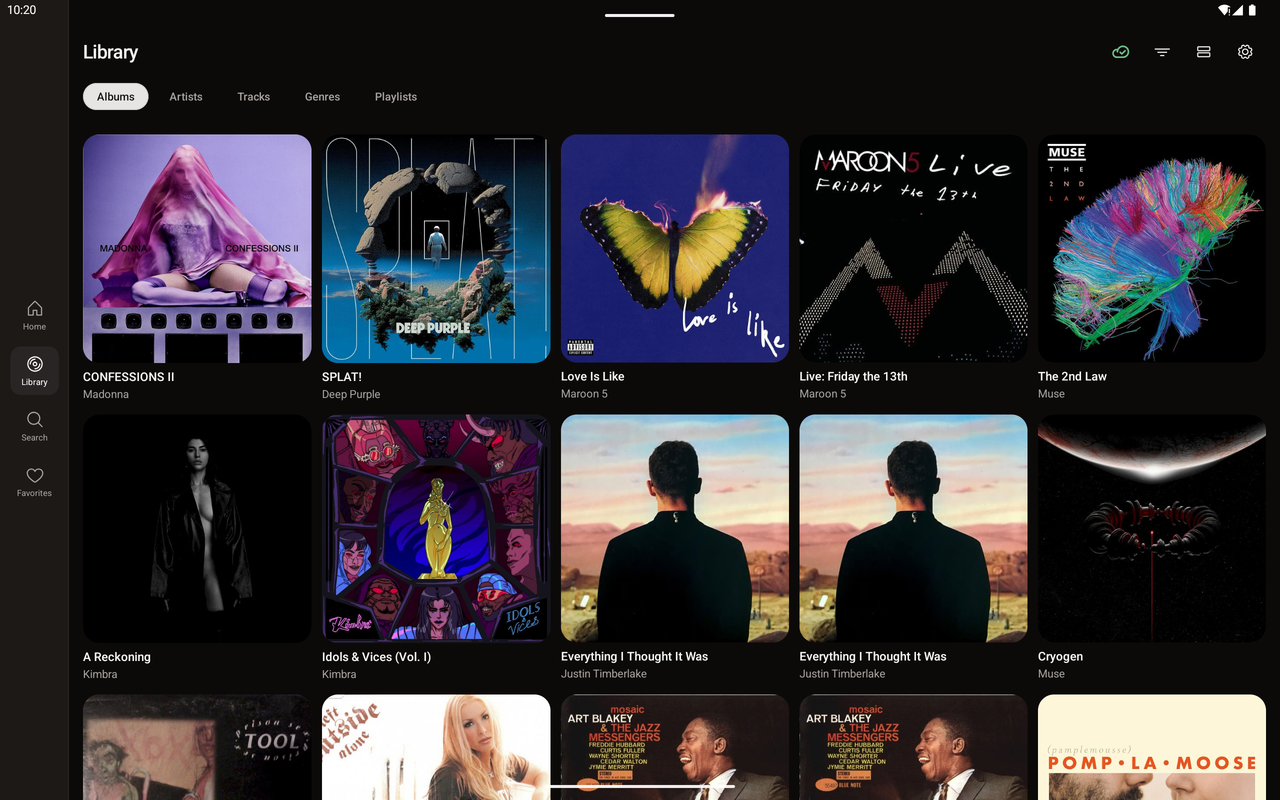
The screen map grew from 17 screens to 30 over the course of a week. What started as “Home, Library, Player” expanded into lyrics with tap-to-seek, a queue with drag reorder, playlist management, search with genre browsing, a connection status chip with 5 states and timed transitions, and a full Android Auto experience for the car.
Having the designs upfront meant the implementation phase was about wiring and accounting for technical limitations. I knew what the UI and UX should feel like and I could verify the result against the reference at any point.
The feedback loop
Using emu to build mellow changed emu more than I expected.
In the 35 days before Mellow, emu got around 20 commits — features like background tasks for downloading system images, Windows trackpad multitouch, Wear OS fixes. Steady progress. During the 10 days of building mellow, emu got 15+ commits. These weren’t planned features, they were a reactions, things I discovered were broken, missing, or painful while actually trying to get work done.
Stories from the trenches
”The Compose TextField doesn’t cooperate”
Day one of actual app development. I’m automating the mellow login screen through emu’s mcp tools. I need to type a username and password into Compose TextFields. Should be simple.
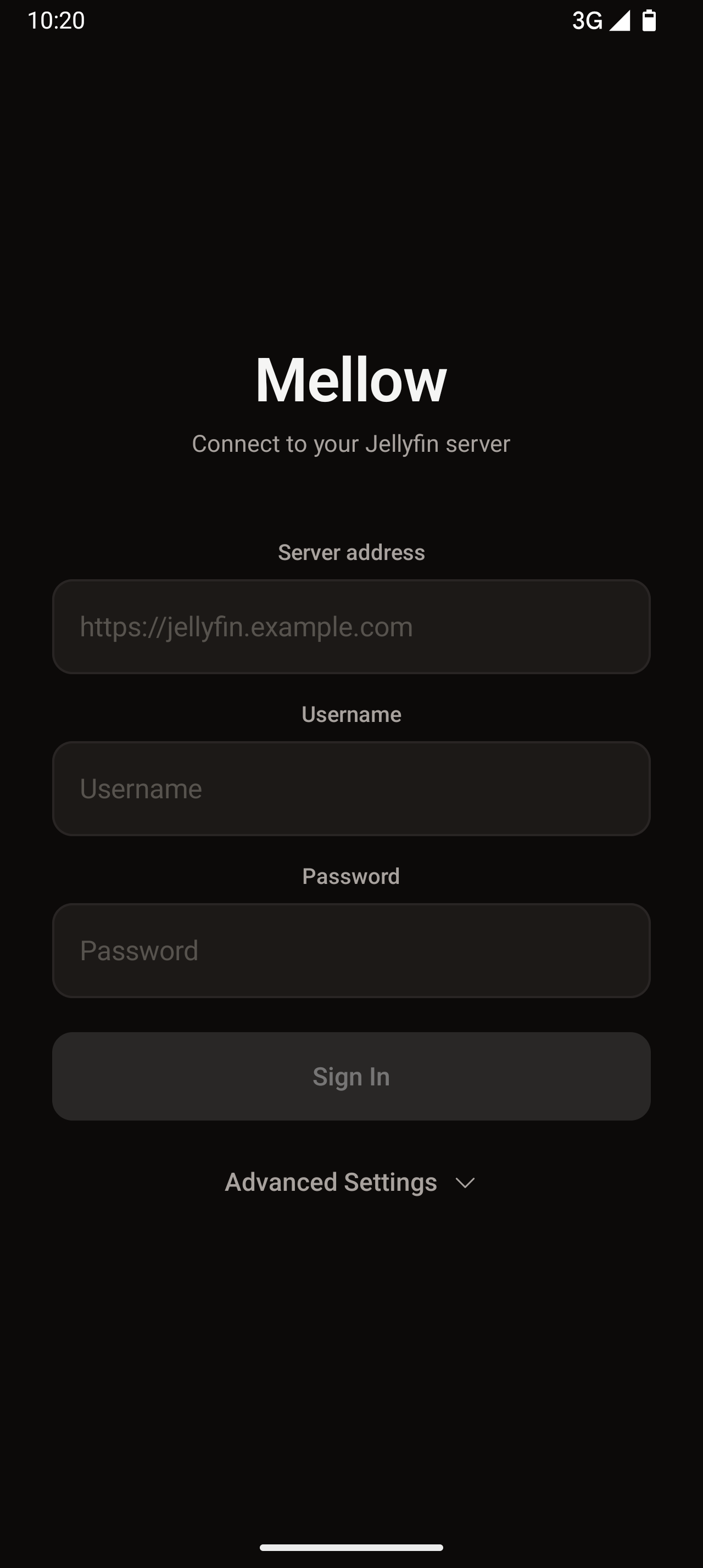
The input_text MCP tool sends key events. The emulator processes the evens in a buffer and it has a limit. If you type in fast enough - keys start missing. The text just doesn’t appear or appears corruped. The only workaround is a 3-step clipboard dance: set clipboard, focus on input field, paste. Six tool calls for two form fields.
The next logical step was two new MCP tools: fill_element and fill_form. One tool call, one field. Find the element by label, tap it, select all, clipboard, paste.
The Android Auto protocol, from scratch
I regularly drive and mellow needed Android Auto support. I wanted to test it in emu both manually and have LLMs verify the implemntation too. The official Desktop Head Unit (DHU) is a closed-source binary that simulates the car display. It works, but it’s a black box — I can’t capture the projection stream programmatically, and nobody can interact with it through automation tooling.
So I looked into whether the DHU source was available.
No. The protocol (AAP 1.7) is proprietary. There are open-source reverse-engineered implementations, but they’re all GPL — can’t use them in a commercial product. The only viable path: clean-room reverse engineering from protocol traces.
The protocol turned out to be: TCP transport → TLS 1.2 mutual auth → protobuf control messages → H.264 video stream → touch events back. I already had H.264 decode, touch injection, and TLS in emu. The hard part was the AAP framing layer.
Many iterations later I found the correct byte layout. Now you can screenshot, tap, and swipe on the car display just like the phone screen.
This still has limitations, namely you need to be signed into a Google account on the device (can someone explain to me why a remote desktop protocol requires an account, please?). For real device that’s not a problem, but for emulators you need to use the google_apis_playstore image, sign in with a real account and also sideload real Android Auto app, because the one that comes in the image is a stub.
”The blacks are gray”
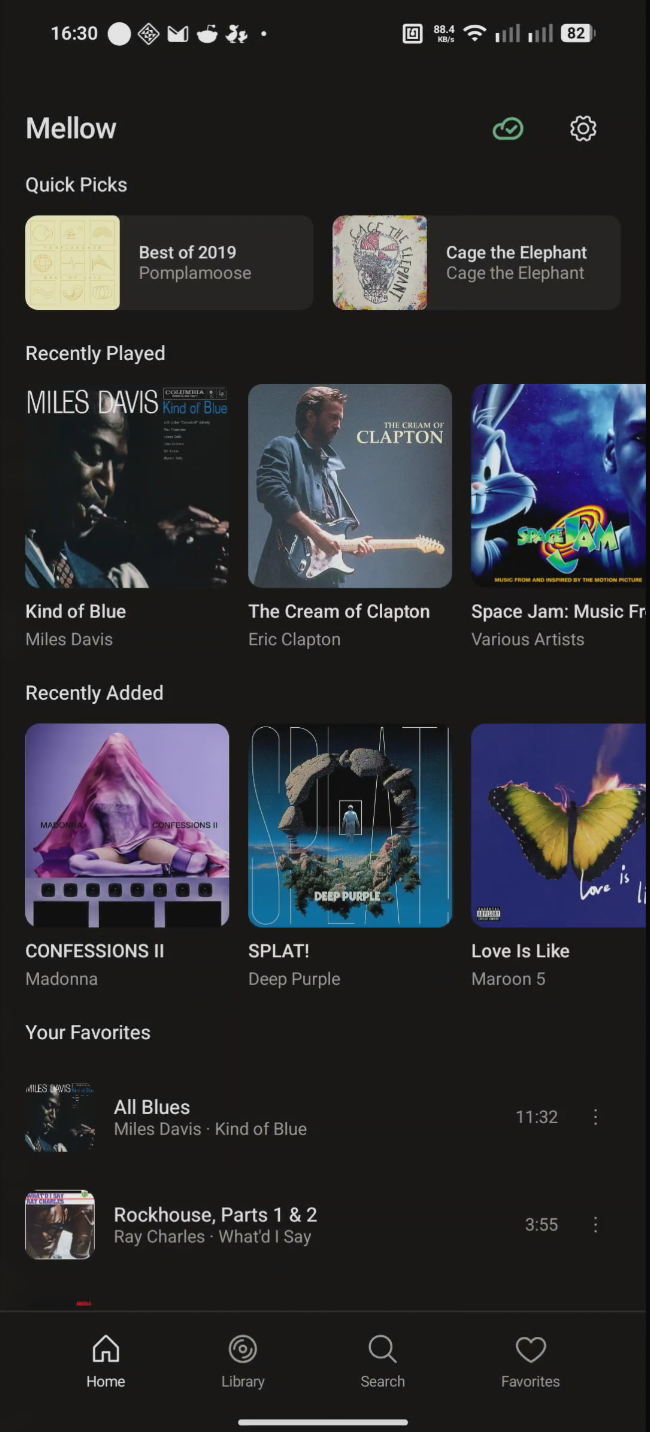
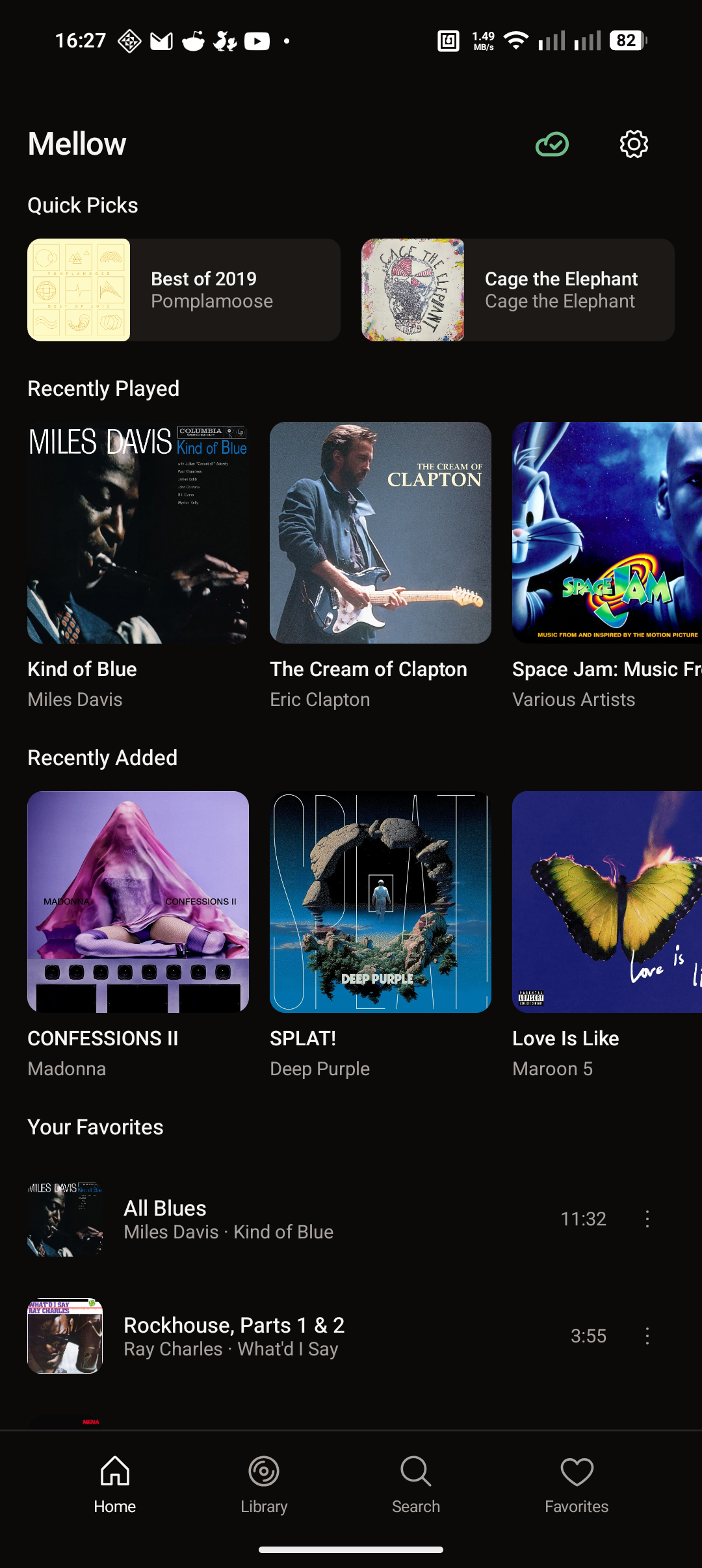
I’m taking screenshots of mellow running on a real phone through emu. The dark theme looks washed out — blacks are gray, whites are dim.
The investigation leads to a color range mismatch buried quite deep: real phone hardware encoders output limited range (Y: 16–235). My converter treated Y=16 as 6% gray instead of true black. The emulators output full range, which is why the bug never showed up in testing. The fix is to parsed the video_full_range_flag from the H.264 SPS header.
One skipped bit. That’s all it takes to have something wrong in software.
Testing what you can’t test manually
The bug stories are fun, but the real value of dogfooding emu was testing scenarios that are genuinely painful to test by hand. A music player with offline mode, Android Auto, and battery-aware UI gave me a lot of those.
Layout across form factors
Mellow uses responsive layouts — the home screen has a header row of quick picks, followed by recently played, then “Recently Added” with an album grid, then “Your Favorites” as a track list, then genre chips. That layout needs to work on a 412dp phone, a 915dp landscape phone, and a 1280dp tablet. On the phone it’s a single scrolling column. On the tablet it’s a nav rail plus multi-column content.
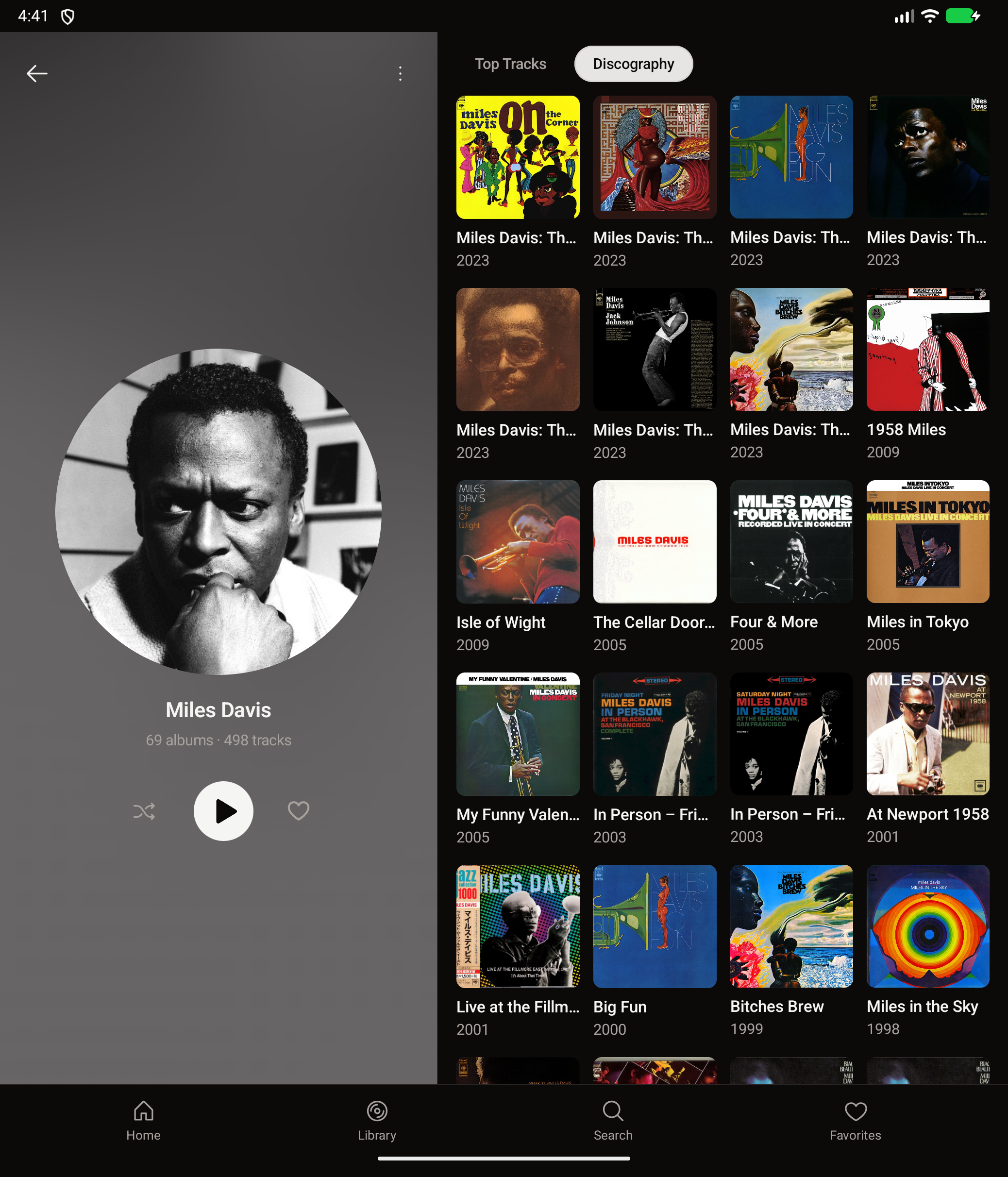
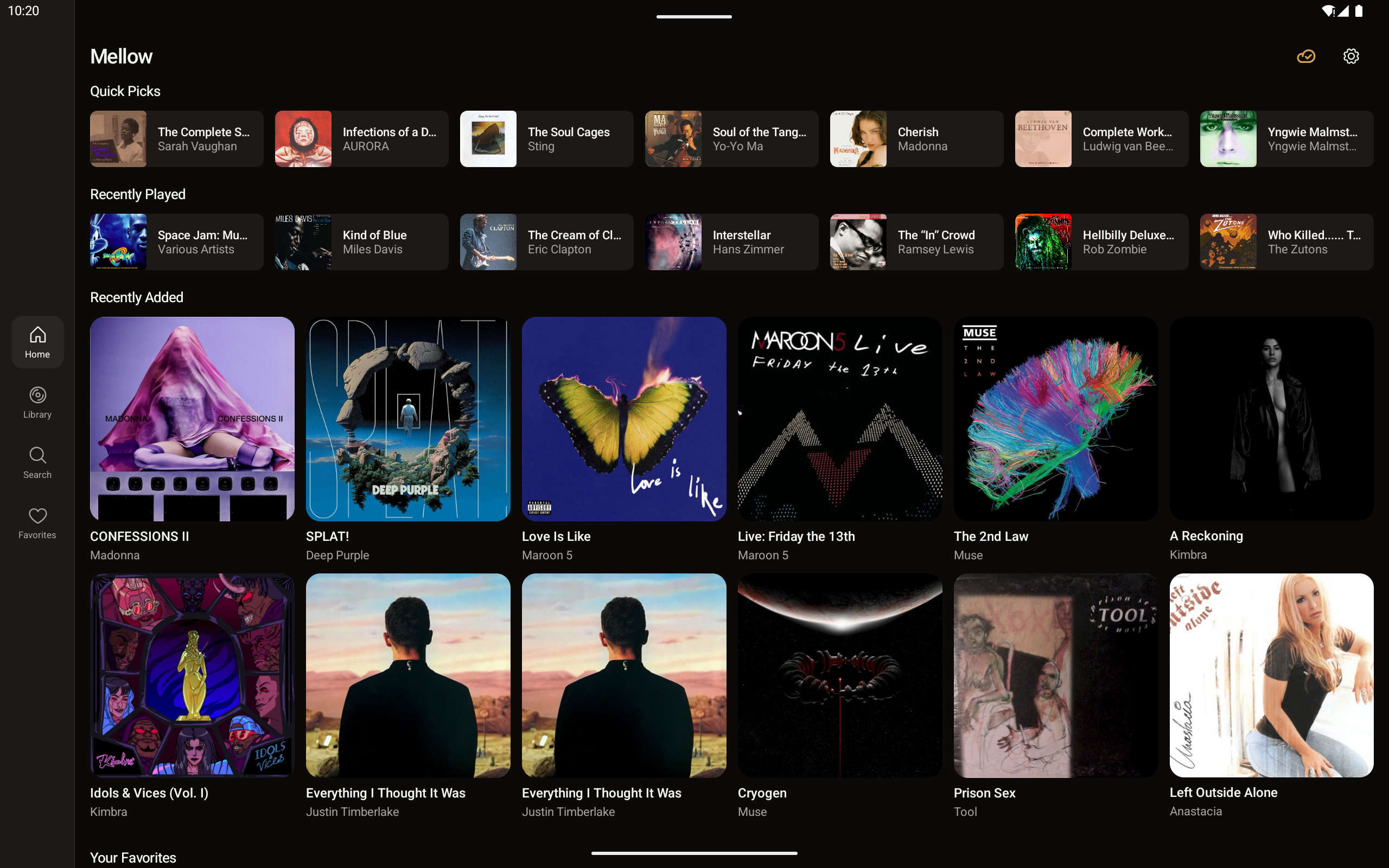
With emu I can test configuration changes like rotating the device, screenshot, compare, adjust the layout, rotate back, screenshot again. The whole iteration cycle for testing an orientation change takes 10s of seconds: propmt and come back to review screenshots. Or do it via GUI, your choice.
Battery-aware animations
Mellow generates a procedural GPU shader texture as the album backdrop — a blurred, color-sampled background behind the now-playing screen and album details. It’s optimized to run via AGSL, looks good but can drain battery. So the app checks battery level and disables the animation when it’s low.
Testing this manually means draining a real phone to 14% and waiting. With emu I can set the level to any value instantly: set it to 10, verify animation stops, set battery to 50 and check animation resumes.
Five seconds to verify both states. No waiting, no draining.
Offline mode and network switching
Mellow downloads tracks for offline playback. It’s designed as offline player that replicates changes from external API and syncs with it. All the metadata about your library is available offline. The app should only download music files over WiFi (configurable), play downloaded content when offline, and filter the library to show only available tracks when the server is unreachable.
With emu I can toggle between “Online” and “Offline” instantly. Download some albums, flip to offline, verify the library filters correctly, flip back, verify sync resumes. I can also test the “WiFi only” download setting by switching between WiFi and cellular profiles and checking that downloads pause on cellular.
Android Auto cold start
Here’s one that’s hard to test even with a real car: does Android Auto work when the phone app hasn’t been opened yet? Mellow uses a MediaLibraryService that should be available to the car’s head unit even if the main activity was never launched. The browse tree, playback controls all need to work from a cold start.
With emu’s AA projection I can connect to the car display, browse the library, and start playback — all without ever opening the app on the phone side.
Offline content on Android Auto
This one’s a combination of the previous two. When the phone is offline, the AA browse tree should filter to only show downloaded content. Album art should load from the local cache, not try to fetch from the server. The “Start Mix” action should only offer mixes from downloaded tracks.
I test this by downloading a few albums, switching to offline mode, connecting AA, and browsing. The content tree should show only what’s available. Then I switch back to online and verify the full library reappears.
Emu also lets me record the headunit display — quality H.264 video at the car’s native resolution. All the videos here are done this way without needing an actual car or a test head unit.
What 10 days produced
Screens ........................ 30 (phone, landscape, tablet, Android Auto)
Form factors ................... 4  (portrait, landscape, tablet, car display)
Screenshot test cases .......... 168 (42 tests × 4 device configs)
Mellow commits ................. 50+
Emu fixes discovered ........... 15+
New emu features born .......... fill_element,
                                 fill_form,
                                 AA projection,
                                 quality recording
Hours spent in Android Studio .. 0
Screenshot testing with Marathon Cloud
Mellow’s 168 screenshot tests run through Robolectric with native graphics rendering. Each test captures a Compose screen at a specific device configuration (Pixel 10 portrait at 412dp, Pixel Tablet landscape at 1280dp, etc.) and saves a baseline PNG.
The baselines get submitted to Marathon Cloud for snapshot comparison. Every PR gets a visual diff — pixel-level regression detection across all 4 device configurations at once. It takes roughly 30 seconds to generate, Xms to compare and Y seconds to submit for review. Doesn’t depend on the app stack and can compare anything screenshottable. Emu’s own UI uses exactly the same pattern.
More on this soon. I’m building this as I go.
What I learned
Building tools for developers is a specific kind of hard. You can have solid test coverage, clean architecture, and a green CI — and still ship something that breaks the moment someone tries to fill a Compose TextField or connect a fresh emulator to the internet.
The 10 days building mellow taught me more about emu’s real-world readiness than the previous month of development. Not because the previous work was bad — it was necessary infrastructure. But infrastructure without load is just theory.
If you build developer tools and you haven’t built something real with them recently — block a week. Build a throwaway app. Use your tool the way your users will, for hours at a time. I guarantee you’ll come back with a list of fixes that matters more than your current roadmap.