Emu: multi-device support and performance optimizations
The dogfooding post ended with a number: 15+ emu fixes discovered in 10 days of building mellow. What I didn’t mention is that those 10 days also left behind a backlog of architecture work that I couldn’t quickly patch.
”Why is the tablet showing the phone’s logcat?”
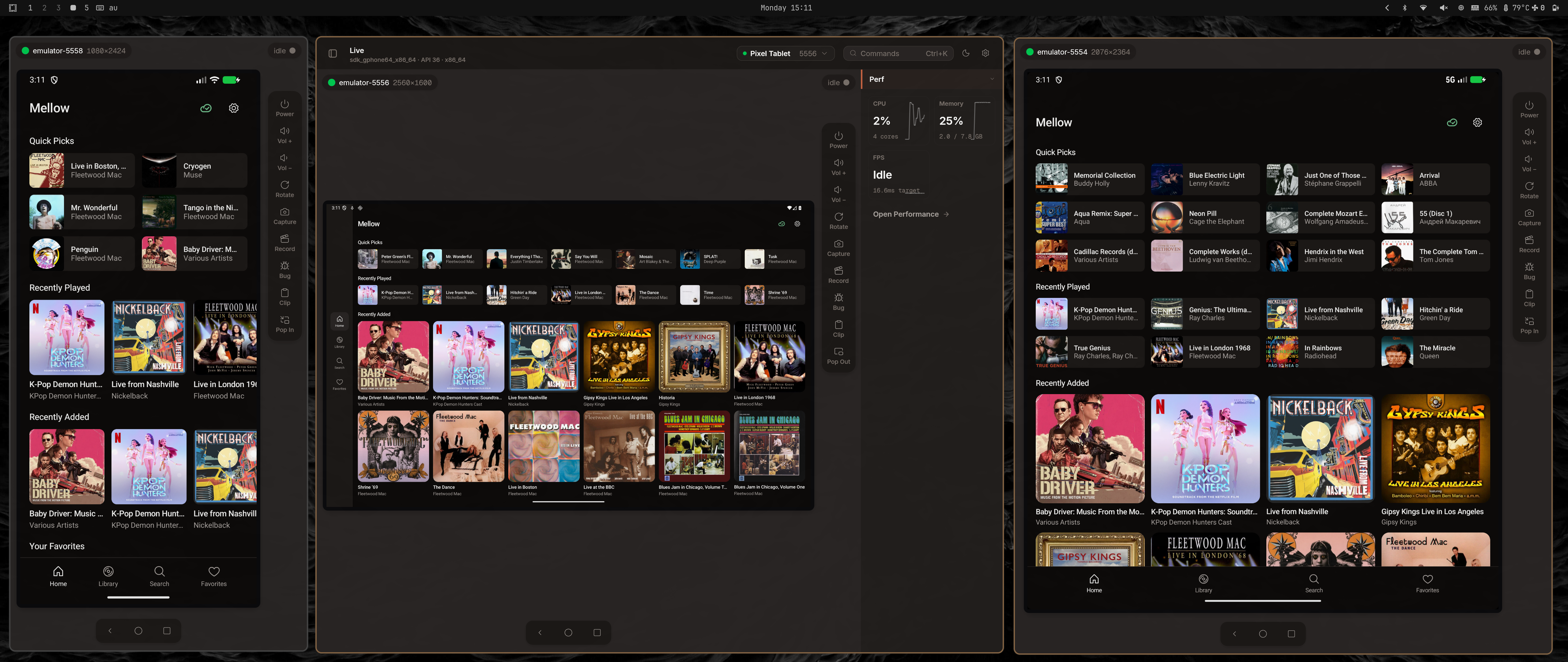
Emu started as a single-device tool. One mirror, one logcat stream, one set of device controls. Selecting a different device tore down the current session and started a new one. This was fine for the first iteration. It stopped being fine when I tried to relax the rules of having a single device and test mellow on a phone and tablet at the same time.
Switching from a Pixel to a tablet would briefly show the Pixel’s logcat under the tablet’s name. Rotating device A would update device B’s orientation readout. The MCP server couldn’t retrieve correct annotated screenshot of a phone while a tablet was mirrored. Everything was a singleton fighting over shared state.
The rewrite
I needed to model device states explicitly as a finite state machine. The new StateStore tracks an 8-phase mirror start pipeline: Disconnected → Connecting → Installing → Configuring → InputProbing → OrientationQuery → TransformReady → Streaming. Each phase is visible in the GUI — when mirroring occasionally takes 3 seconds to start you can see which phase it’s stuck on instead of wondering if it froze.
After the rewrite, each device runs its own mirror, logcat stream, and recording pipeline. This does increase memory consumption, but realistically you will use all ram by running the emulator, not by running emu. Now you can pop out multiple device mirrors as independent windows. The MCP server can query any device by serial without disrupting the GUI.
As a nice bonus after the cleanup I got even lower memory usage because the design of handling framebuffers was simplified:
Foldable hinge indicator
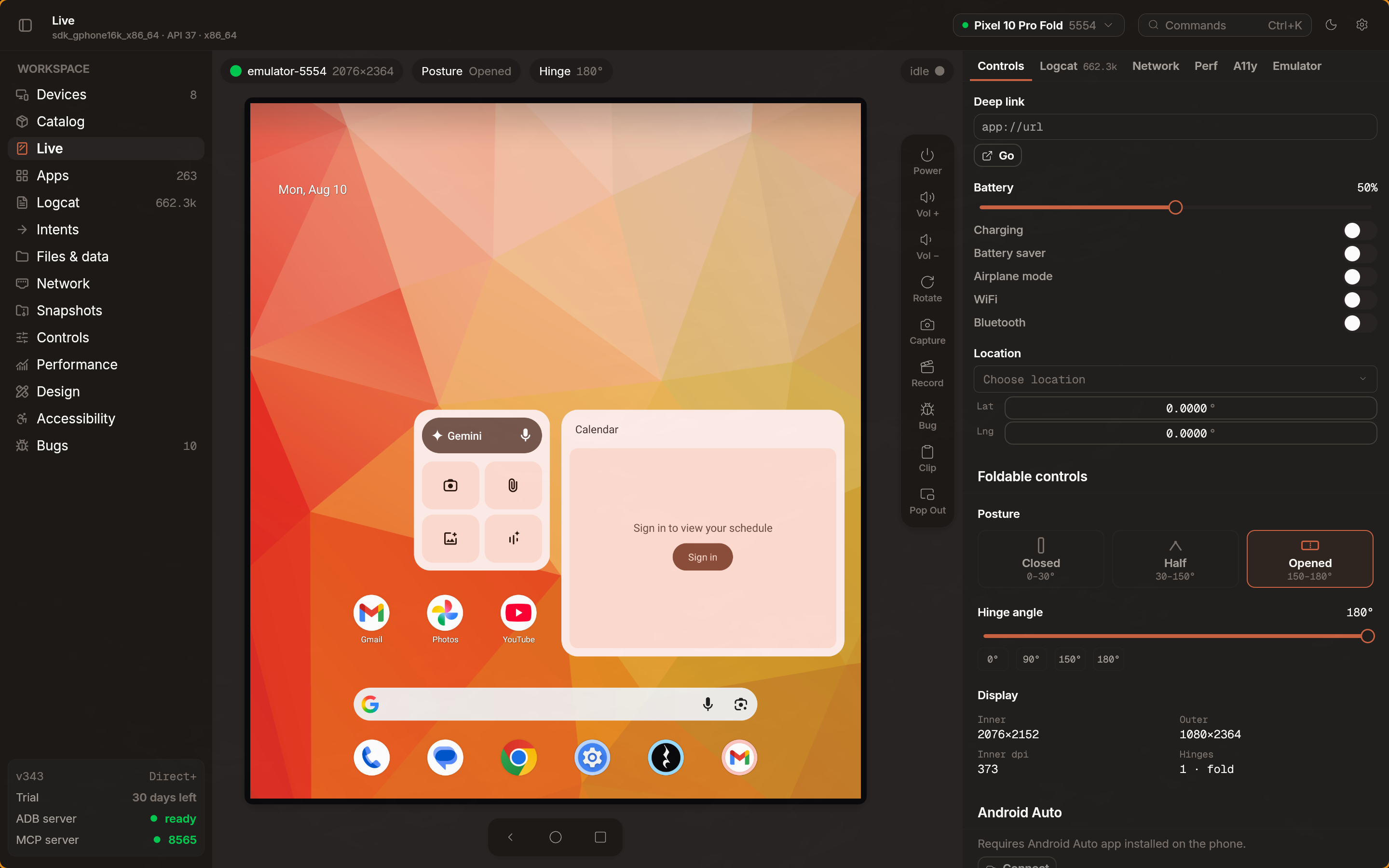
After the initial release of mellow, I’ve been asked to add support for foldable devices. This tested emu in an interesting way. I found myself checking the design requirements many times and decided on a quick tool: hovering over the posture controls shows the current position of the hinge. This allows you to quickly verify no actionable content exists near the hinge area and the your layout adapts properly because foldable layout is not the same as regular adaptive layout filling the available space and calling it done.
Direct+
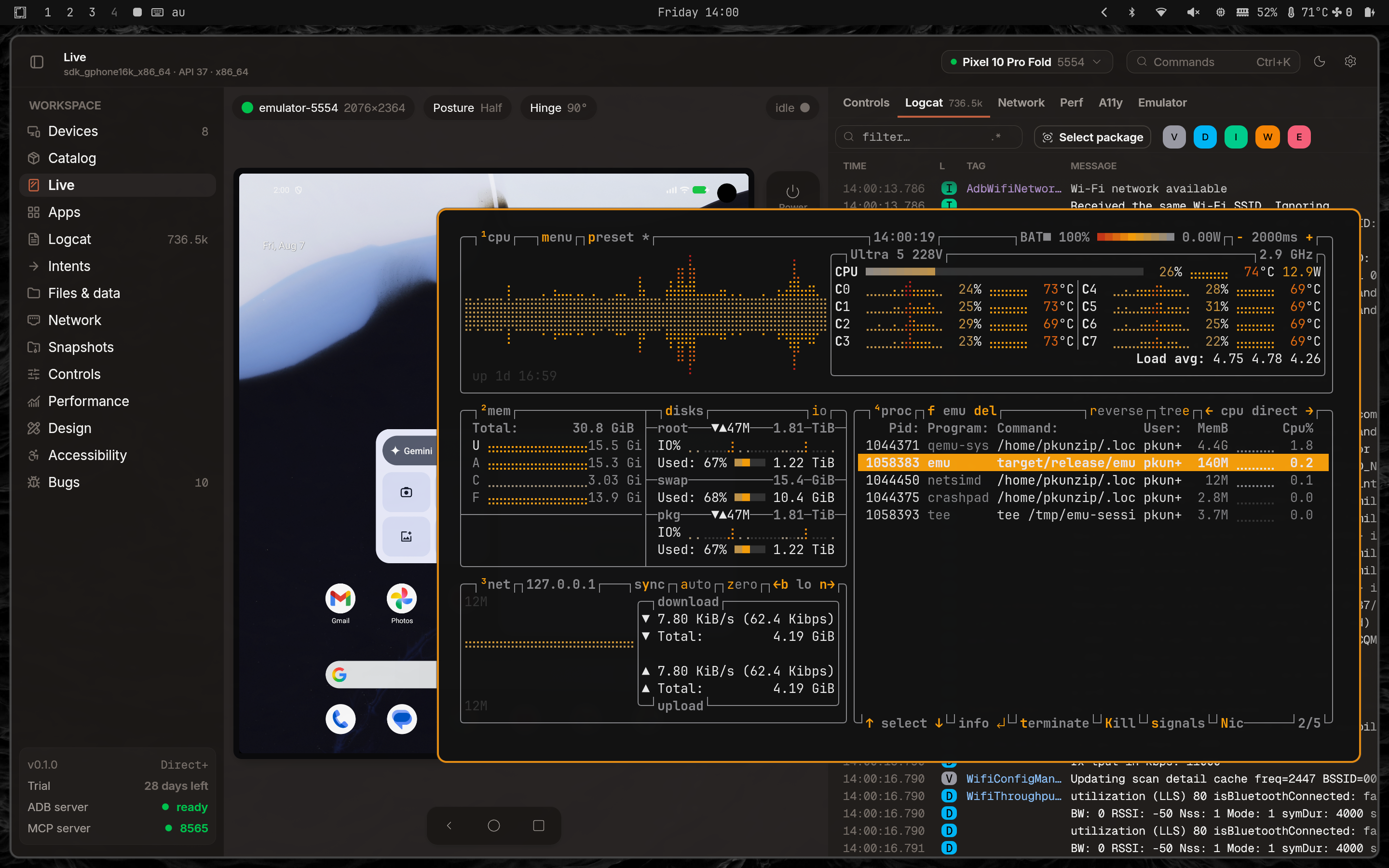
The standard display pipeline in emu (and using official qt wrapper too): emulator renders to its own GPU buffer → round-trip to CPU accessible memory -> emu reads the shared memory → uploads to a texture. On a Pixel Fold for example that’s around 18 MB per frame, 60 times per second. The shared memory path pushes ~4.7 GB/s of memory bandwidth through the CPU.
When testing emu on Linux vs macOS I noticed that current emulator works quite well on macOS but on a Linux workstation with a dedicated GPU emulator was crawling in comparison. I dug deeper and found that GPU itself is idle. The bottleneck is the way the emulator is written, it doesn’t adapt to different hardware well: Apple Silicon has shared memory space between GPU and CPU. This means that copying the memory of the rendered framebuffer is within the same memory space in contrast to something like a workstation Linux with a dedicated nvidia GPU.
Direct+ shares GPU surfaces between the emulator and emu directly. On Linux, I used dmabuf to pass GPU memory between processes — the emulator renders, emu imports into its own Vulkan/EGL context, texture is already on the GPU. The transport architecture is not perfect though: there will always be a small delay because Android in the virtual machine renders async compared to the vsync of the host. A perfect architecture would be to ask Android to render a frame whenever emu needs to render a frame, but this is currently not possible from my research: I’d have to rebuild the system image for that. I also ported this with similar primitives to macOS.
Caveat
Unfortunately this doesn’t work for any hardware. The emulator can render the frames to either via GL or Vulkan. On macOS the Vulkan is translated into Metal. Depending on the hardware capabilities you can end up not able to share the memory via Vulkan/Metal. To scope this down I checked that eventually everything will be on Vulkan and this is the only path supported for Direct+. The GL for this case has to be rendered via ANGLE so that everything goes via Vulkan.
Keep in mind that Direct+ as a result of this effort requires a custom emulator and won’t work on a vanilla emulator package.
Why CPU shared memory still runs
Direct+ doesn’t replace CPU-readable shared memory. Emu runs both simultaneously. GPU surfaces handle display rendering so that you see the content as fast as possible. The regular path, throttled to 30fps, provides CPU-accessible frames for features that need pixel data: screen recording, design comparison, accessibility contrast checks, foldable fold-detection, MCP screenshots.
The throttle drops CPU bandwidth from ~4.7 GB/s when running at 240fps to ~0.6 GB/s which leaves more CPU cycles for the app code you’re actually working on. Nothing on the CPU side needs 60fps — recording even for high quality mode needs 30fps at best, MCP screenshots are on-demand.
Measuring FPS
Since the display on Android can actually idle, the counter also gained idle detection. If no frames arrive for 500ms, the pill shows “idle” with a grey dot. When frames resume, the raw FPS is displayed immediately without smoothing drag from the idle period.
Refresh rate configuration
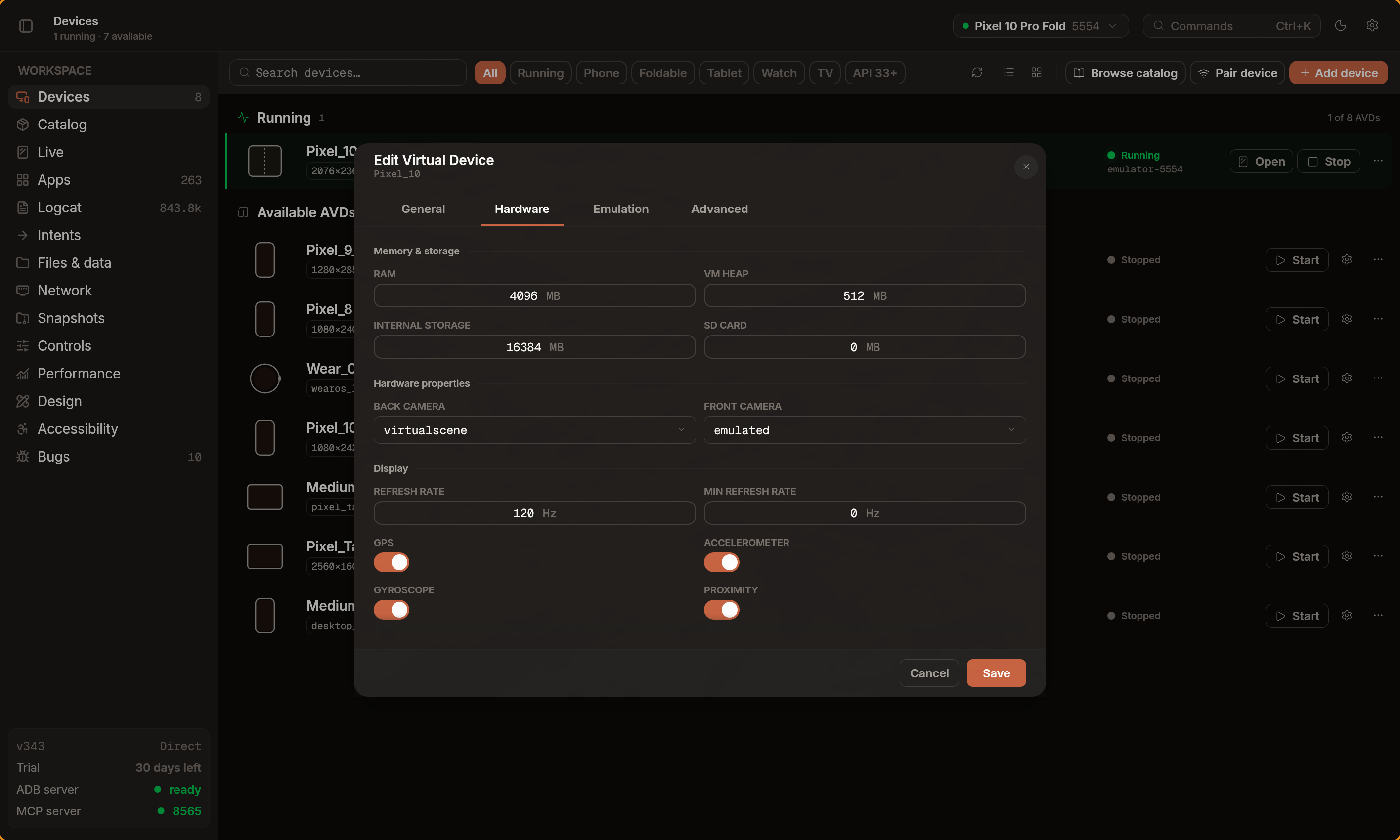
The emulator defaults to 60Hz, but modern devices run at 90/120Hz. The difference is visible — scroll feel off, animations stutter compared to a real device. Emu now lets you set the display refresh rate per device from the hardware editor and defaults to whatever your actual display really supports. The setting takes effect on the next cold boot. Keep in mind that the app itself might need to request to render at higher framerate, but you can force it by selecting the min fps (be wary of battery usage though if you’re on laptop).
MCP surface extended
When the dogfooding post shipped, emu’s MCP surface was enough to crawl an app and take screenshots. New categories that shipped since:
- Gestures —
long_press,double_tap,drag,pinch(emulator-only two-finger gRPC touch) - Semantic interaction —
tap_element(find by text/desc/resource-id, tap center),scroll_to_element(scroll until visible),wait_for_element(poll until appears) - Network proxy —
start_network_proxy,stop_network_proxy,list_network_requests,get_network_request,clear_network_requests,network_proxy_status - Bug reports —
collect_bug_report,list_bug_reports,read_bug_report,export_bug_report,update_bug_report,import_bug_report(snapshot device state into.emubugarchives) - SDK management —
check_licenses,accept_licenses,install_system_image(non-interactive license acceptance for CI) - AVD management —
create_avd,delete_avdalongside existinglist_avds,start_emulator,stop_emulator - Screen recording —
start_recording,stop_recording(MP4, returns local path) - UI diff —
ui_dumpgaineddiff=truemode with center coordinates and off-screen detection
The network proxy tools are the interesting ones. An LLM agent can start a network proxy, interact with an app, then inspect the captured HTTP traffic and verify API calls — through MCP. The proxy handles TLS interception with auto CA cert injection and response body decompression. I’ve been using this to verify mellow’s API calls.
Bugs found by using emu day-to-day
The unfold that never showed
The display would sometimes stay stuck on the placeholder texture after an unfold.
To understand the problem you need to understand that emulator doesn’t actually render to a different framebuffer on such changes: it reuses the initial framebuffer from creation and crops the output. This means that when foldable collapses there is no stable API to detect when foldable can be safely shown: the physical emulation process is async from the rendering pipeline.
I found this by folding and unfolding a Pixel Fold about twenty times in a row. Stuck maybe 1 in 5 unfolds. Fix: capture the fingerprint frame before issuing the unfold command, and decouple the settlement check from the log window so it runs independently on every frame until resolved.
adb root kills the proxy
For google_apis devices proxy setup requires adb root. This restarts adbd, causing the device to briefly disappear from the device list. This meant that after you enable proxy device is effectively lost and treated as a new device. Now proxy expects the device to briefly disappear and enabling network proxy can be done in one click instead of two.
”hw.screen=multi-touch” lies
Desktop emulator images have hw.screen=multi-touch set in the config, but the guest has no actual touchscreen device. Mouse hover and drag events were being sent to the guest before cursor capture, and keyboard modifier keys (Shift, Ctrl, Alt) were ignored entirely — every key was sent as a combined press+release. I couldn’t Ctrl+C in a terminal emulator running inside the guest, which is how I noticed.
Fix: cross-verify touchscreen claims with dumpsys input.
What’s next
- Companion app — adding VPN service (per-app network attribution + no root requirement for network)
- Network - rewriting rules to support mocking API responses
Note: if you want to test the new Direct+ mode - reach out to me via email or on x.